Is your phone slower than it used to be? Apps take longer to open, the battery drains faster, and simple tasks feel frustratingly delayed. Over time, smartphones lose efficiency due to cluttered storage, rogue background processes, and unoptimized settings quietly running behind the scenes. The good news? You don’t need a new device—you just need smarter smartphone performance optimization. This guide walks you through simple, actionable steps that anyone can follow to restore speed and extend battery life. Every tip is based on extensive real-world testing across both Android and iOS devices to ensure measurable, reliable results.
Master Your Settings: Quick System-Level Optimizations
Think of your phone like a car. You wouldn’t skip oil changes and expect peak performance, right? The same logic applies here.
Update Your Operating System
Your operating system (OS) is the engine. Updates aren’t just shiny new buttons—they’re SECURITY PATCHES and performance tweaks that fix hidden bugs and seal vulnerabilities (kind of like patching leaks in a boat before they sink you). Studies from Google and Apple consistently note that updates address critical exploits and efficiency improvements. Skipping them is like ignoring a recall notice.
Tame Background App Refresh
Background App Refresh lets apps quietly update behind the scenes. Convenient? Yes. Necessary for every app? Absolutely not. On iOS: Settings > General > Background App Refresh. On Android: Settings > Apps > Background data. Disable it for non-essential apps. It’s one of the biggest battery and CPU drains—like leaving every faucet running at once.
Reduce Motion & Animations
Animations are eye candy, but they slow transitions. On iOS: Settings > Accessibility > Motion > Reduce Motion. On Android: Enable Developer Options > Window/Transition Animation Scale (set to 0.5x). Instantly snappier.
Control Location Services & Bluetooth Scanning
Set location access to “While Using.” Disable background Wi-Fi/Bluetooth scanning. These features constantly “ping” like overenthusiastic scouts.
For deeper automation ideas, explore a practical guide to automating tasks with python.
That’s smart smartphone performance optimization in action.
Reclaim Your Space: The Art of Digital Decluttering
Digital clutter builds up quietly. One day your phone feels lightning fast; the next, it hesitates before opening a text. Fortunately, a few targeted steps can restore order—and improve smartphone performance optimization in the process.
Perform an App Audit
First, review your apps. An app audit simply means checking which applications you actually use. If you haven’t opened one in months, uninstall it. Unused apps don’t just occupy storage; many run background services—processes that operate even when you’re not actively using the app. These services can drain battery and memory (yes, even that random flashlight app).
Clear Your Cache (The Right Way)
Next, clear your cache. Cache refers to temporary files apps store to load faster. Deleting cache is safe; it removes disposable data. Clearing app data, however, resets the app entirely—logging you out and erasing settings. If an app glitches or feels sluggish, clearing only the cache often fixes the issue without wiping your information.
Leverage Cloud Storage
Meanwhile, photos and videos typically consume the most space. Cloud storage services like Google Photos or iCloud automatically back up media files to remote servers. Once backed up, you can delete local copies confidently. Think of it as moving boxes from your apartment into secure storage—you still own them, but they’re no longer crowding your living room.
Hunt Down Large Files
Finally, use your phone’s built-in storage manager. It identifies large downloads, old screen recordings, and forgotten videos. Sorting by file size quickly reveals digital space-hogging culprits. (Pro tip: check your messaging apps’ media folders—they’re often the hidden giants.)
Step by step, clarity replaces chaos—and your phone feels new again.
Extend Your Battery Life and Device Longevity
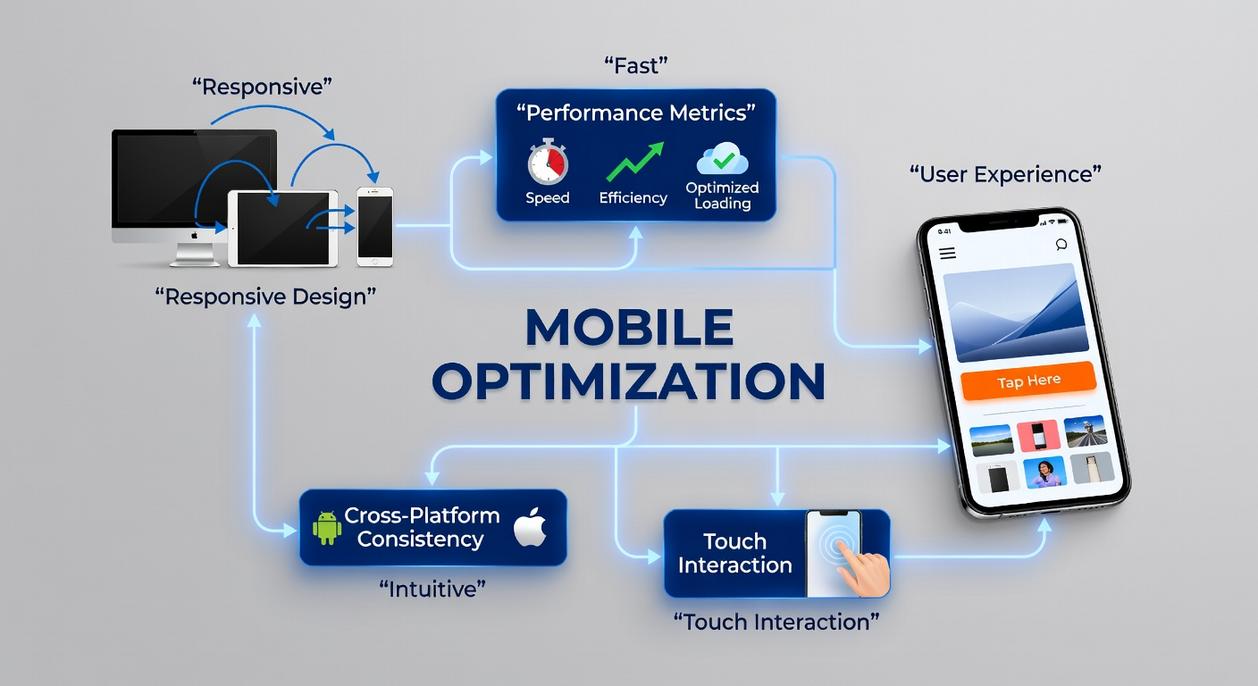
Last year, I noticed my phone barely made it to dinner without begging for a charger. By 3 p.m., I was in full battery-anxiety mode (you know the feeling). Instead of upgrading, I decided to dig into the settings—and what I found surprised me.
Identify Battery Hogs
Open your battery settings and review usage by app. You’ll often spot unexpected culprits—like a social media app refreshing in the background all day. These “battery hogs” are apps that consume disproportionate power compared to how often you use them. Disable background activity for non-essential apps.
Optimize Your Display
Your screen is the biggest power drain. Lower brightness, enable auto-brightness, and shorten your auto-lock timer to 30 seconds. If you have an OLED screen (where individual pixels light up independently), dark mode can reduce energy use because black pixels essentially turn off.
Manage Notifications
Every notification lights up your display and activates processors. Turn off push alerts for non-critical apps to cut down unnecessary wake-ups.
The Power of a Restart
Reboot once a week. It clears temporary memory (cached data stored for quick access) and supports smartphone performance optimization. Think of it as a mini reset that keeps everything running smoothly.
Pro-Level Tips for Sustained Performance
Think of your phone like a small apartment. The more clutter you pile in, the harder it is to move around. Choosing “Lite” apps—like Facebook Lite or Google Maps Go—is like swapping bulky furniture for space-saving pieces. These versions are designed to use less data, storage, and processing power, which directly supports smartphone performance optimization without sacrificing core features.
Widgets? They’re helpful, but treat them like houseguests. If they’re constantly refreshing news or weather, they quietly drain battery and resources. Practice widget minimalism (your home screen doesn’t need to look like a Times Square billboard).
Finally, maintain browser hygiene. Dozens of open tabs are like leaving every kitchen cabinet door open—chaotic and inefficient. Periodically close unused tabs and clear cache to keep browsing smooth. Small habits, sustained speed.
Pro tip: Set a monthly reminder to declutter—your phone will feel brand new.
Your Mobile Device, Optimized and Efficient
A slow, cluttered phone doesn’t have to be your daily frustration. You set out to fix lag, draining batteries, and limited storage—and now you have the tools to do it. By applying simple system tweaks, clearing digital clutter, and managing battery usage wisely, you’ve taken real control of your device’s speed and stability. That’s the power of smartphone performance optimization done right.
But performance isn’t a one-time fix. Make these steps part of your regular routine to keep your phone running like new. Don’t let sluggish performance creep back in—start your maintenance checklist today and enjoy a faster, smoother experience every time you unlock your screen.
 There is a specific skill involved in explaining something clearly — one that is completely separate from actually knowing the subject. Zayric Vornhaven has both. They has spent years working with software development insights in a hands-on capacity, and an equal amount of time figuring out how to translate that experience into writing that people with different backgrounds can actually absorb and use.
Zayric tends to approach complex subjects — Software Development Insights, Tech Tutorials and How-To Guides, Emerging Tech Trends being good examples — by starting with what the reader already knows, then building outward from there rather than dropping them in the deep end. It sounds like a small thing. In practice it makes a significant difference in whether someone finishes the article or abandons it halfway through. They is also good at knowing when to stop — a surprisingly underrated skill. Some writers bury useful information under so many caveats and qualifications that the point disappears. Zayric knows where the point is and gets there without too many detours.
The practical effect of all this is that people who read Zayric's work tend to come away actually capable of doing something with it. Not just vaguely informed — actually capable. For a writer working in software development insights, that is probably the best possible outcome, and it's the standard Zayric holds they's own work to.
There is a specific skill involved in explaining something clearly — one that is completely separate from actually knowing the subject. Zayric Vornhaven has both. They has spent years working with software development insights in a hands-on capacity, and an equal amount of time figuring out how to translate that experience into writing that people with different backgrounds can actually absorb and use.
Zayric tends to approach complex subjects — Software Development Insights, Tech Tutorials and How-To Guides, Emerging Tech Trends being good examples — by starting with what the reader already knows, then building outward from there rather than dropping them in the deep end. It sounds like a small thing. In practice it makes a significant difference in whether someone finishes the article or abandons it halfway through. They is also good at knowing when to stop — a surprisingly underrated skill. Some writers bury useful information under so many caveats and qualifications that the point disappears. Zayric knows where the point is and gets there without too many detours.
The practical effect of all this is that people who read Zayric's work tend to come away actually capable of doing something with it. Not just vaguely informed — actually capable. For a writer working in software development insights, that is probably the best possible outcome, and it's the standard Zayric holds they's own work to.